

Please sign in to view pricing, availability, and to add to cart.
Product Overview
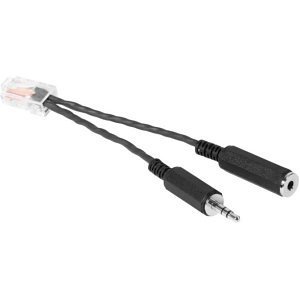
If you want to add robust audio to your conference room's display monitor, the HuddleSHOT all-in-one conferencing camera is the solution. Simply connect this adapter's RJ-45 end to the EasyMic port on the back of the HuddleSHOT camera, and connect a 3.5mm stereo cable to the other end from the audio output of your conference room display. This allows you to use HuddleSHOT's robust speakers with your display - even when you're not in a USB video conference call.
Please note: using this adapter removes the ability to connect an EasyMic microphone (TableMIC or CeilingMIC) to the HuddleSHOT. However, you will still be able to use the two internal microphones located near the camera lens.
Specifications
ADI Part Number MV-8023280 Brand Name Vaddio by Legrand Manufacturer Legrand Group Manufacturer Part Number 802-3280 Product Model 802-3280 Product Name EasyMic Adapter Product Type Microphone
Cable Type Mini-phone, RJ-45 Connector on First End 1 x RJ-45 Male Network Connector on Second End 1 x Mini-phone Female Audio, 1 x Mini-phone Male Audio Device Supported Audio Device, Monitor, Speaker, Video Conferencing Camera
TAA Compliant Yes
Color Black
Limited Warranty 3-Year
Certifications CE, FCC, TAA Compatibility Vaddio HuddleSHOT All-In-One Conferencing Camera Country of Origin US Environmental Certification TAA Features Adds an audio line-in when used with HuddleSHOT, ConferenceSHOT AV and EasyIP Decoder, Plug and play simplicity, Use HuddleSHOT and ConferenceSHOT AV speakers with your conference room display